Your connection is fast.
Your downloads should be too.
SwiftDL splits every file across many connections at once, picks up after anything, and takes over from your browser.
Free and open source · v0.2.0 · Windows, macOS and Linux
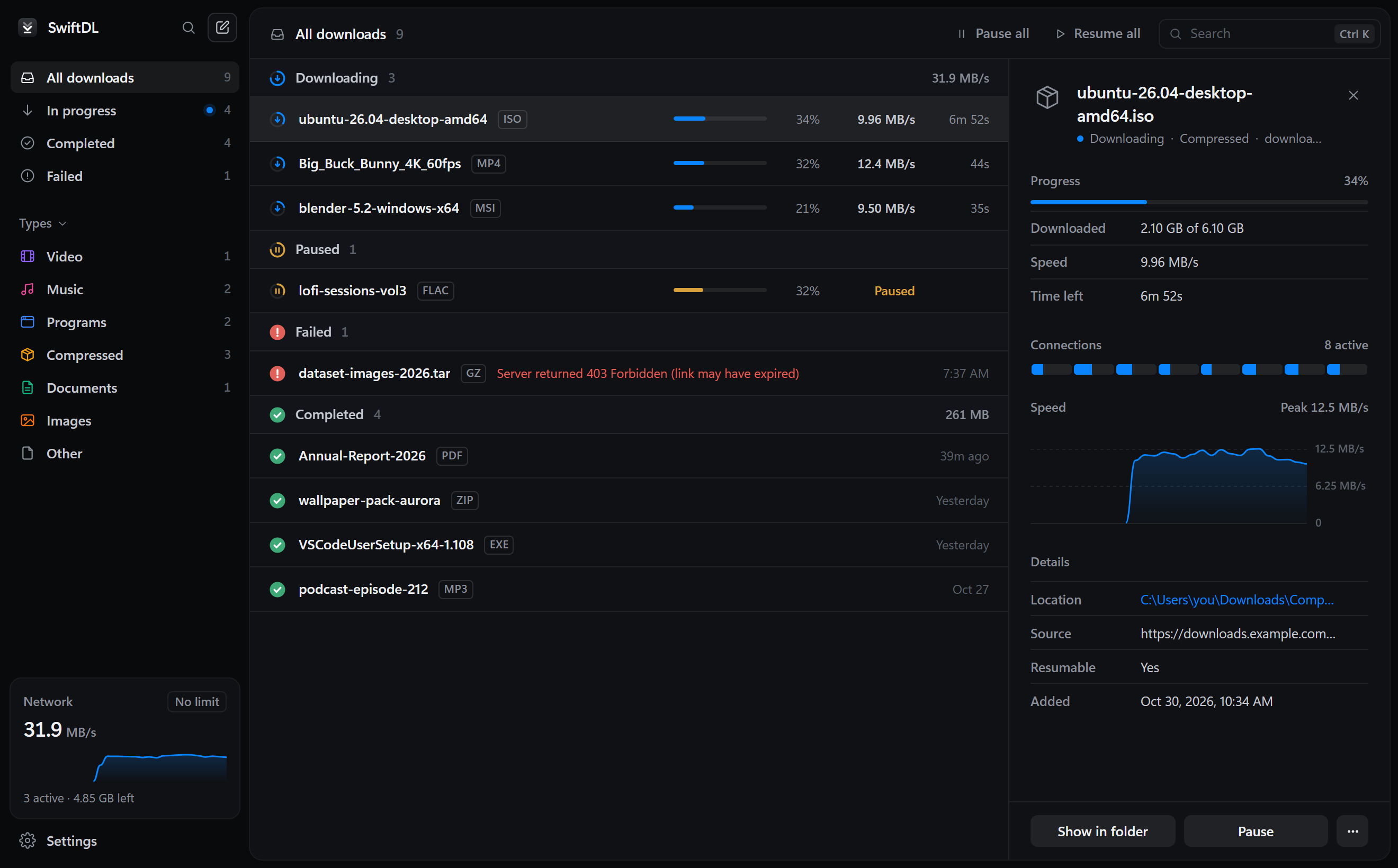
One file, many connections.
Every part downloads at the same time.
Servers often limit how fast one connection can go. SwiftDL opens up to 32 at once, and when one finishes early it takes half of the biggest part left, so no connection sits idle at the end.
Up to 32 connections
Pick how many per file. Eight is a good start for most servers.
Smart splitting
Early finishers take over half of the largest part left.
No joining step
The file is reserved up front and every connection writes straight into it.
Click download in your browser.
SwiftDL takes it from there.
The extension comes with the app. It hands each download to SwiftDL with your cookies, so files behind a sign-in work too, and a small window asks where to save it.
Sign-ins come along
Cookies and referrer travel with each download, so private links work.
Download video
A button over video players lists the video and audio files a page loaded.
Stays out of the way
Hold Alt to let the browser handle a link, or turn it off per site.
Pause anything.
Lose nothing.
SwiftDL saves what's left to download every second. Wi-Fi drops, a closed laptop, even a crash: it carries on from where it stopped.
Saved every second
At most a second of data is fetched again after a crash.
Queue and speed limit
Choose how many run at once and cap total bandwidth.
Tidy by default
Files land in Video, Music, Programs, Compressed and Documents.
The small things, done right.
Command palette
Press Ctrl K to find any download or run any action.
A window per download
Live progress for each file, then a summary with Open and Show in folder.
Lives in the tray
Close the window and downloads keep going.
Private
No account, analytics or telemetry. It only talks to the servers you download from.
Light and dark
Follows your system, on Windows, macOS and Linux.
Open source
MIT licensed and built in Rust. Read it, change it, ship it.
Get SwiftDL.
Free for Windows, macOS and Linux.
Answers.
Is it really faster?
When the server limits each connection, which many do, yes, by roughly the number of connections. When one connection already fills your internet line, more can't add speed you don't have, but resume and the queue still help.
Can it download from YouTube?
Yes, and from Vimeo, X, Reddit and other video sites. Click the video button on the player and pick a quality, from 4K down to audio only. SwiftDL uses yt-dlp for these sites and sets it up the first time you need it.
Why does Windows or macOS warn me when installing?
The installers aren't code-signed yet. On Windows choose More info, then Run anyway. On macOS, right-click the app and choose Open.
Does SwiftDL collect any data?
No. No accounts, analytics or telemetry. It only connects to the servers you download from.
Is it really free?
Yes. SwiftDL is MIT licensed, and the code is on GitHub.